A powered USB hub for test phones: power, ports and switches
How to choose a powered USB hub for test phones: why bus-powered hubs drop devices, what to read on the spec sheet, and why a switch on every port helps.
 Michał Dudek · · 8 min read
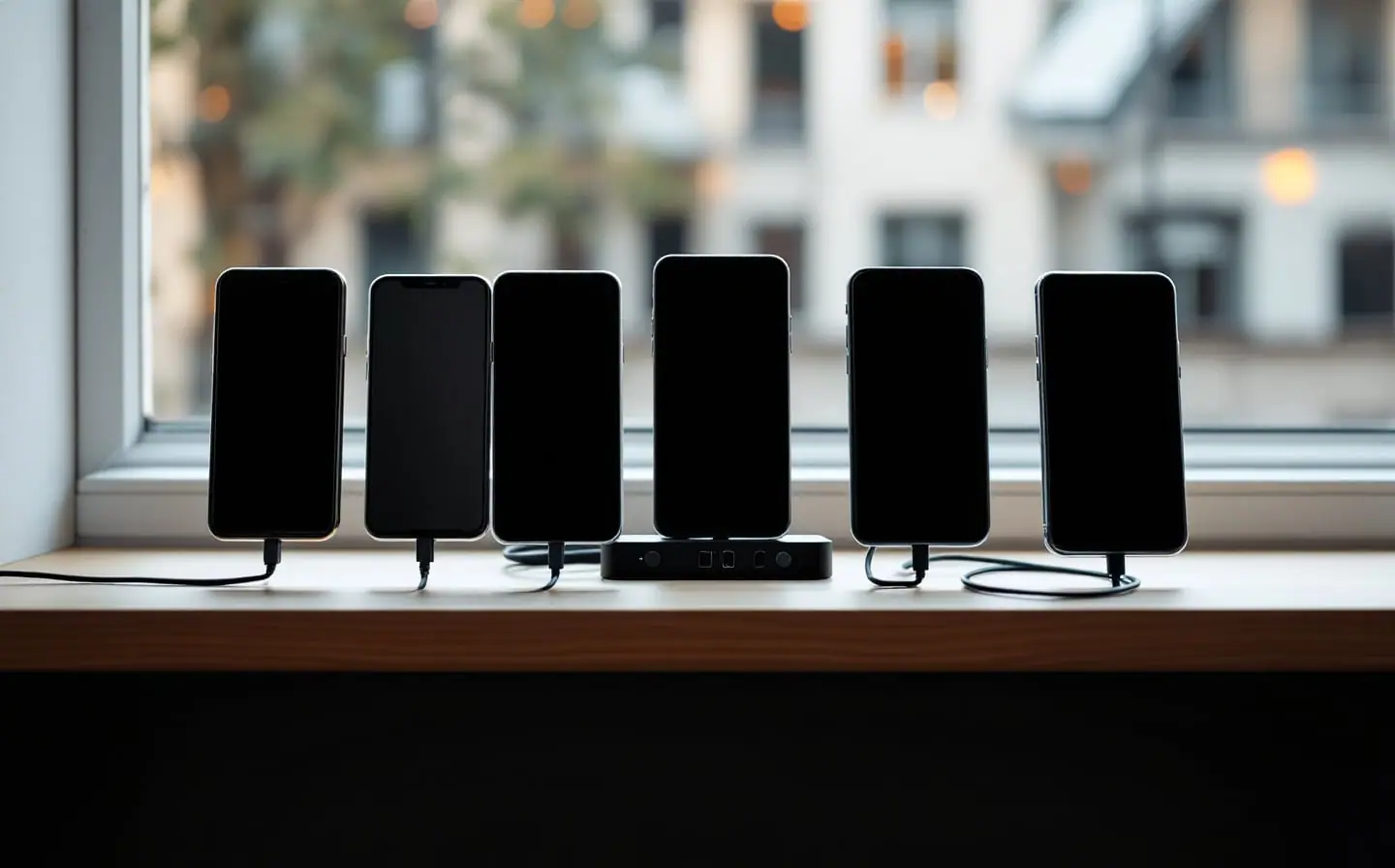
For a while, five test phones on my shelf hung off one small hub that took all of its power from the laptop. Every morning adb devices looked like the departure board at Rotterdam Centraal: phones arriving, phones leaving, one marked offline for reasons it kept to itself. An install on all five got through three, and the fourth phone came back a few seconds later as if nothing had happened, with less battery than when it was plugged in.
Contains affiliate links. As an Amazon Associate I earn from qualifying purchases. Purchases through our eBay links can earn us a commission too.
The fix was boring, which is how I like fixes: a hub with its own power supply. What follows is what to read on its spec sheet, why a switch per port matters, and how to keep batteries healthy on phones that never leave the shelf. I picked the three parts below from their published specifications and what buyers report in reviews, not by running them on my own shelf.
Why phones drop off a hub without its own power
USB budgets power in unit loads. In USB 2.0 a unit load is 100 mA, and a configured device may ask for up to five of them, 500 mA. USB 3.x raises the unit load to 150 mA and the ceiling to 900 mA. A bus-powered hub gets one port's worth from the computer, keeps one unit load for itself and hands one unit load to each of at most four ports. Wikipedia's USB hardware article has the arithmetic, and it is not generous.
A charging phone wants far more than one unit load. Many cheap hubs don't enforce the limits, so the phones take what they can until the hub's protection cuts a port or the voltage dips far enough that a phone sees its cable go away. The same article says devices that need more than a port supplies "function erratically, if at all." That was my old shelf exactly. The symptoms:
- A phone vanishes from
adb devicesand returns a few seconds later. - A phone shows as
offline, which the adb documentation describes as not connected to adb or not responding. adb installdies halfway on one phone while the others finish.- The battery percentage falls on a phone that claims to be charging.
- It gets worse with screens on and builds running.
If the trouble moves from phone to phone and grows with every phone you add, it's power. If it's always the same phone, try that phone's cable first. Ruben's guide to a mobile developer's desk explains why charge-only cables cause the same confusion.
Read the power side of the spec sheet
A powered (self-powered) hub brings its own adapter, so the phones stop sharing one laptop port's budget. It's also where listings get vague. What I check, in order:
- Is the adapter in the box? On some hubs the power input is optional and the adapter is sold separately. Read the package contents line.
- What does the adapter put out? The label on the brick gives volts and amps; multiply them for watts. That total feeds every port and the hub itself, so divide it by the number of phones you'll actually connect.
- What does one port supply? Some makers state a per-port current, or mark certain ports for charging. The USB Battery Charging specification defines a charging downstream port, which supplies extra current and carries data, and a dedicated charging port, which carries no data at all. A dedicated charging port is fine for a tablet that only needs topping up. For adb it's a very expensive hole.
- Does that per-port figure hold with every port busy? A total rating shared across all ports is the honest number. A per-port number that quietly assumes the other ports are empty is not.
- Can you see which port is alive? A light per port saves a lot of squinting when one phone stops responding.
Ports, cables and data speed
Count your phones, then add two: one for the tablet and one for the model a user's crash report makes you borrow for a week. Seven ports suit a shelf of five phones. For much bigger shelves I'd rather run two hubs on two laptop ports than one enormous hub, because every device on a hub shares that hub's bandwidth with the rest.
USB 3.0 means 5 Gbit/s, and a USB 3.0 hub carries USB 2.0 traffic on its own separate path. Many test phones, especially budget and older models, only talk USB 2.0 anyway, so they share that side of the hub. For running and debugging, that's plenty; you only feel it when a large build installs on every phone at once. USB 3.0 still pays off for the one phone that supports faster transfers and its long screen recordings.
Hubs with lots of ports often use USB-A sockets, so you'll want USB-A to USB-C cables for current phones. Check the upstream side too: if your laptop only has USB-C, see whether the hub's cable ends in USB-C or whether you'll need an adapter. Keep the phone cables short. The one-foot USB-A to USB-C pair reaches from a hub to a phone in a stand without looping behind the shelf, and short cables are much easier to label.
Switches on every port
The per-port switches are the part I'd refuse to give up. The textbook reason is power cycling one unresponsive device without touching the others. On a test shelf there are more:
- Dropping one phone from adb. Run
adb installwith several phones connected and no target, and adb stops with "more than one device/emulator". Switch the others off and the one left becomes the default. - Repeating a cable pull. If your app does anything when the phone starts or stops charging, a switch gives you a disconnect you can repeat twenty times without wearing out a USB-C socket.
- Resting the batteries. Phones that aren't in this week's test plan get switched off at the hub and left alone.
- Reviving a stuck phone. Off and on again is quicker than tracing which cable belongs to which phone.
Flip a switch off and the phone drops out of adb devices as if you had pulled the cable. Flip it back and it reconnects. If you ticked "Always allow from this computer" when it first asked about the RSA key, it doesn't ask again.
When you do want several phones on at once, tell adb which one you mean. The adb documentation covers -s for a single command and an environment variable for a whole session:
# Serial numbers and models, to match phones to ports
adb devices -l
# Send every adb command in this terminal to one phone
export ANDROID_SERIAL=R58N123ABCD
adb install -r app/build/outputs/apk/debug/app-debug.apk
I keep each serial next to its port number in the text file that also holds every phone's role, the one described in my guide to a small Android test device lab.
Phones that never leave the shelf
A phone on a powered hub sits on a charger for months. Google's Pixel battery help page notes that phones warm up while plugged in and advises not charging more than needed. So turn on a charge limit wherever the phone has one.
- Pixel: on the Pixel 6a and later, Settings > Battery > Battery health > Charging optimization offers Limit to 80%. The phone still needs a full charge every 10th cycle to keep its capacity readings accurate, and Pixel 3 and later cap charging at about 70 to 80 percent on their own after several days plugged in or at high temperatures.
- Samsung: Settings > Battery > Battery protection. From One UI 6.1, its Maximum option stops charging at 80 percent; older software offers a single 85 percent limit.
- Everyone else: look under Battery settings, where names change from skin to skin. Phones with no limit at all get the switch treatment: on for a few hours, then off.
Give the hub and the phones some air; stacked phones keep their heat. Leave Stay awake in Developer options off unless a long session needs it, and once a month look at every phone from the side. A back cover that lifts or a gap along the screen means the phone leaves the shelf that day.
Hub, charger or laptop port
| Setup | Power for the phones | Data to the laptop | Drop one phone | Watch out for |
|---|---|---|---|---|
| Laptop ports directly | The laptop | Yes | Pull the cable | Too few ports, socket wear |
| Bus-powered hub | One laptop port, shared | Yes | Pull the cable | Drop-outs once phones charge |
| Powered hub | Its own adapter, shared | Yes | Pull the cable | Adapter not always included |
| Powered hub with switches | Its own adapter, shared | Yes | Flip a switch | Check the adapter rating |
| Multi-port charger | Its own power | No | Pull the cable | No adb at all |
For a shelf you use daily, the fourth row is the one. A multi-port charger still suits tablets and spares that only need to stay alive.
The picks, briefly
The Sabrent seven-port hub with switches fits a shelf of five or six phones: seven ports, a switch for each and its own power adapter. The Atolla powered USB 3.0 hub suits a bigger shelf, with individual switches too and USB 3.0 for the phones that can use it. Before ordering either, divide the adapter rating on the listing by the phones you plan to connect; that tells you more than the port count.
For the spare ports: a labeler for port numbers, an Android tablet for large-screen layouts, and a Fire tablet if you ship to the Amazon Appstore and want your app checked without Google services.
More parts for the desk and the shelf are in the shop guide.
Questions
Will a powered hub fast-charge my phones?
Don't count on it. Phones fast charge by negotiating a higher power level with the charger, and the USB-A ports on a data hub usually stick to basic USB charging. For a test phone held at 80 percent, slow charging is a feature.
Why does adb show a phone as offline?
The adb documentation says offline means the device isn't connected to adb or isn't responding. Toggle that port's switch, and if the phone stays offline, run adb kill-server and then adb devices. If several phones go offline together, look at power before you look at the phones.
Is it safe to keep test phones on the hub all the time?
With a charge limit on, a hub in open air and a monthly look for swelling, that's how most test shelves run. Phones without a limit setting are the ones to switch off at the hub between test days. Start there: turn on the charge limit on every phone that has one before the hub even arrives.
Keep reading
USB-C hub for MacBook: what to check before you buy, and picks
What to check in a USB-C hub for a MacBook: pass-through power, how many screens macOS will extend, USB-A for test phones, card readers, Ethernet and heat.

A mobile developer's desk: hubs, cables, chargers and stands
What a mobile developer's desk needs: USB-C hubs and specs that matter, data versus charging cables, multi-port chargers, phone stands and a second screen.

Building a small Android test device lab on a budget
How to pick Android test phones by role, buy them refurbished, keep them charged and connected over Wi-Fi, and decide which to update and which to freeze.