A 100W USB-C charger for a laptop and test phones on one socket
How a 100W USB-C GaN charger shares power between a laptop and test phones, what a MacBook needs to fast charge, which cables to use, and three picks.
 Ruben Mertens · · 8 min read
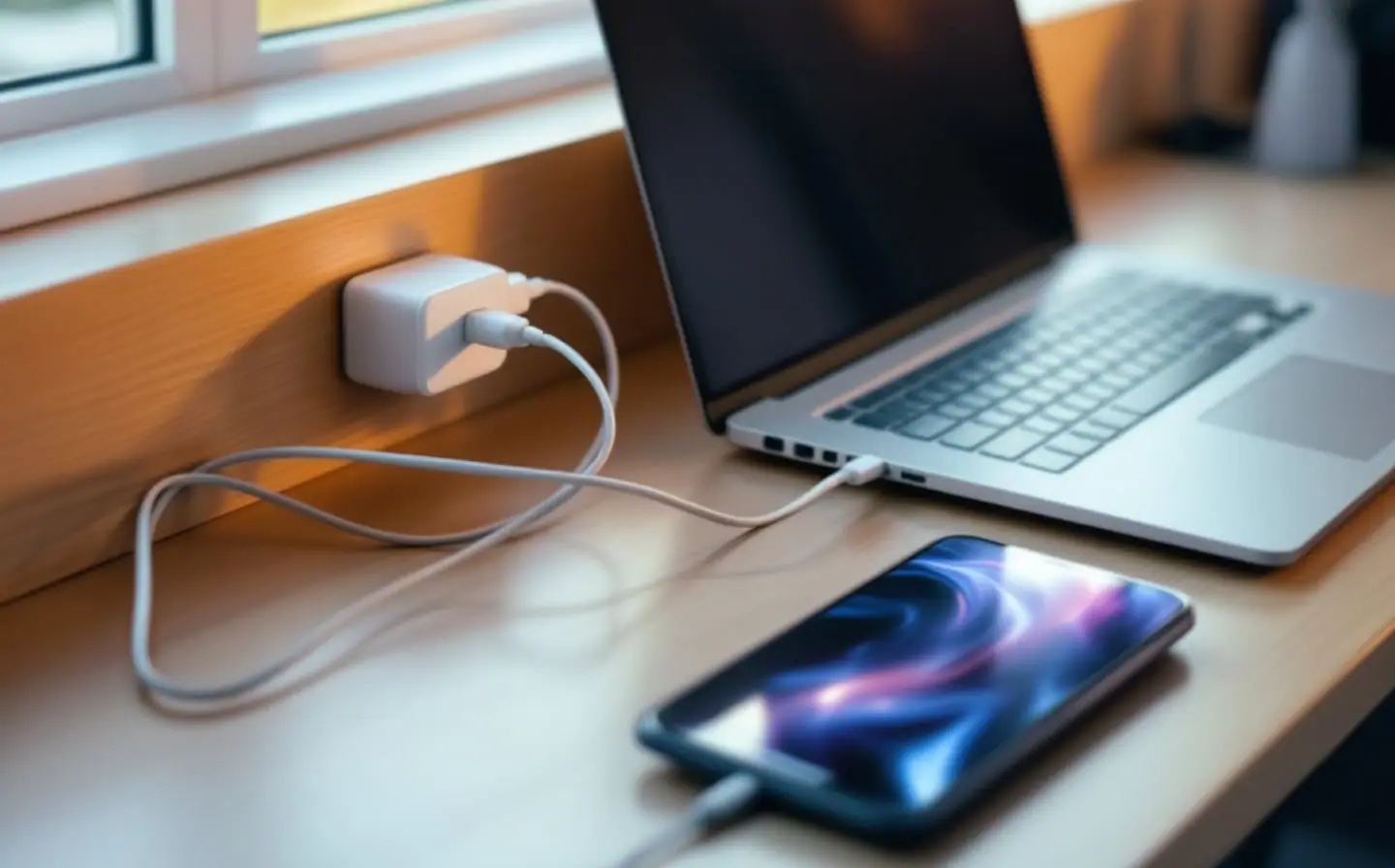
The socket behind my desk in Ghent is a single one, set low in the wall behind a bookcase. For a long time it fed a power strip with four separate chargers on it: one for the laptop, two for test iPhones and a spare for whichever Android phone was on the desk that week. The strip got warm, and every trip started with deciding which bricks to unplug and pack.
A single 100W USB-C charger with several ports does the job of that whole multi-device charging station, and GaN chargers are small enough that the same one can live on the desk and travel in the bag. The catch is in the small print. "100W" is what the whole box can deliver, not what each port gets, and the laptop is the device that notices. The three chargers below come from their published specifications and what buyers report in their reviews, not from a bench of my own.
Contains affiliate links. Purchases through our eBay links can earn us a commission too.
How one charger shares 100 W between ports
USB Power Delivery is a conversation, not a fixed output. The charger tells a new device which voltages and currents it can offer, and the device asks for one. The USB-IF, which maintains the standard, describes the aim as letting each device take only the power it requires. In the standard power range that goes up to 100 W, at 20 V and 5 A. Revision 3.1 added fixed voltages of 28 V, 36 V and 48 V, for up to 140 W, 180 W and 240 W.
A charger with several ports has one power budget and has to divide it. Plug in the laptop alone and its port may get everything the maker allows on that port. Plug in a phone next to it and the charger works out a new split, offering the laptop less so the phone gets its share. How it splits depends on the design: which ports are in use and which port the laptop sits in. Each maker publishes this as a port table, usually in the listing's images or the manual, with a row for every combination. That table is the only reliable source, and its figures differ between models and even between revisions of one model.
Two practical consequences follow. Put the laptop in the port the table marks as the high-power one, and read the row that matches the number of phones you actually connect. And expect a hiccup: many multi-port chargers briefly cut power to the ports in use while they renegotiate, so devices can drop off for a second when you plug in another one. A phone that is only charging won't care. The phone in the middle of a debug session will, which is why the device I'm debugging stays on a data cable to the laptop.
What a MacBook needs to charge fast
Apple's page on fast charging a MacBook Air or MacBook Pro covers the MacBook Air from 2022 on and the 14- and 16-inch MacBook Pro from 2021 on, which can reach 50 percent in around 30 minutes with the right adapter and cable. The list names Apple's own adapters:
- MacBook Air: 70 W or higher, plus the 67 W adapter on the 13.6-inch models.
- 14-inch MacBook Pro: the 96 W or 140 W adapter.
- 16-inch MacBook Pro: the 140 W adapter.
Apple doesn't list third-party chargers for fast charging, so treat a USB PD charger with the same output on one port as the closest match rather than a promise. Elsewhere Apple does say a Mac that charges over USB-C works with any USB-C adapter that supports USB Power Delivery, even one below the recommended wattage. It just has less power to work with.
For an Air or a 14-inch Pro, a 100 W charger covers fast charging as long as the laptop's port still gets enough with the phones connected: the port table question again. For a 16-inch Pro, 100 W charges the laptop but won't fast charge it, and during a heavy build the battery may barely move. That is the case for a 140 W charger, and only if one port delivers 140 W on its own.
To see what actually arrives, hold the Option key, choose Apple menu > System Information, select Power and look under AC Charger Information. Check it once with only the laptop connected and once with your usual phones plugged in too.
What the test phones want
Less than you might think. Apple's fast charge page for iPhone lists an 18 W or greater USB PD adapter for models up to the iPhone 16 generation, and 40 W or more for the iPhone 17 and 17 Pro models, which then reach 50 percent in around 20 minutes. The iPhone 18 Pro models want a 60 W-capable adapter with a newer USB PD feature, Adjustable Voltage Supply. On the Android side, Google's charging help for Pixel phones lists any Programmable Power Supply (PPS) adapter rated for 30 W or more, or other USB PD adapters from 15 W. If your test phones use PPS, check that the charger listing mentions it.
For test devices that live on the desk, fast charging hardly matters. They sit near full charge most of the day, and where a phone offers a charge limit setting, turn it on. Fast charging earns its place on the evening before a client demo, or in the hour between talks at a conference.
Cables rated for the wattage
The charger can only send what the cable is rated to carry. Every USB-C cable has to handle 3 A at up to 20 V, which is 60 W. Anything above that needs a cable rated for 5 A, and those carry a small electronic marker chip, an e-marker, that tells the charger what the cable can take. The extended power range up to 240 W also runs at 5 A, at up to 48 V, and needs a cable rated for 240 W. A 100 W charger on a 60 W cable tops out at 60 W, whatever the box says.
Cables certified by the USB-IF carry a 60W or 240W logo on the plug housing. In that scheme, a certified cable that shows only the power figure is a USB 2.0 cable for data, up to 480 Mbit/s; faster cables carry a combined logo with both the data rate and the wattage. For charging that doesn't matter. For pulling screen recordings off a test phone, it does.
The simplest fix is one cable type for everything that charges. A 240 W cable works just as well when a phone only asks for 20 W, and it is what Apple lists for fast charging a 16-inch MacBook Pro from November 2023 on over a USB-C charge cable instead of MagSafe. Anker's 240W USB-C cables come as a braided two-pack, enough for the laptop and the phone you charge most.
GaN in plain words
GaN is gallium nitride, a semiconductor used in the charger's switching transistors instead of plain silicon. It switches faster and loses less energy as heat, so the rest of the circuit can shrink. That is why GaN chargers come out noticeably smaller and lighter than older silicon ones with the same rating.
GaN does not make anything charge faster. Speed comes from the wattage, the port table and the cable. A small charger near its full output still gets warm, with less surface to shed the heat, so give it open air rather than a spot behind a monitor stand. The best GaN charger for a desk like mine is simply the one whose port table matches what you plug in every day.
One charger for the desk and the bag
On the desk a 100 W charger feeds the laptop and two or three phones; on a trip it replaces the laptop adapter and the phone charger in one go. A foldable plug helps in a bag. A display helps more than you'd expect, because it shows what each port is delivering and turns the port table into something you can watch.
When it travels, check the plug against the country you're heading to, and mark the charger with colored tape, since half the room at a conference may own the same one. The practical side of conference days, from scarce outlets to Wi-Fi, is in our event info guide. A power bank covers the hours away from a socket, and one with its cable built in can't be left at the hotel.
The three picks side by side
| Charger | Stated power | Ports | Also stated | Fits |
|---|---|---|---|---|
| UGREEN Nexode 100W | 100 W total | 4 | GaN | A desk with a laptop and three phones |
| Anker 100W 3-port | Up to 100 W from one USB-C port | 3 | Port readout, foldable plug | One charger for desk and bag |
| Anker 140W 4-port | 140 W max | 4 | Charging status display | More headroom; a 16-inch Pro if one port gives 140 W |
UGREEN's Nexode 100W is the plain desk choice for a laptop and three phones. The three-port Anker suits someone who carries it most days. Anker's 140W four-port charger is the one for a 16-inch MacBook Pro, or when the laptop and phones together push past 100 W; confirm in its port table that a single port reaches 140 W before you count on fast charging. For hubs, stands and the rest of the desk, the dev desk shelf and my earlier guide to a mobile developer's desk fill in the gaps.
Questions
Can a 100W charger damage a phone?
No. Under USB Power Delivery the phone asks for what it can take, and the charger supplies that rather than its maximum. Apple's iPhone page accepts comparable third-party USB PD adapters for fast charging.
Will a 100W charger fast charge a 16-inch MacBook Pro?
Not according to Apple, which lists only its 140 W adapter for fast charging that model. A 100 W charger still charges it, and the battery may hold steady rather than rise during a long build.
Why does my phone disconnect when I plug something else into the charger?
Many multi-port chargers renegotiate power on the ports in use when the load changes, which cuts power for a moment. Keep the phone you're debugging on a cable to the laptop.
Do I need a 240W cable for a 100W charger?
You need a cable rated above 60 W, which means a 5 A cable with an e-marker. A 240 W cable is one of those and works at any lower wattage. Buy two of the same kind and you never have to sort the drawer by rating again.
Keep reading
Faster Gradle builds: the fixes that actually help
Measure first, then fix: the Gradle and Android settings that really shorten builds, the changes that take a day, and the popular tricks that barely matter.
A powered USB hub for test phones: power, ports and switches
How to choose a powered USB hub for test phones: why bus-powered hubs drop devices, what to read on the spec sheet, and why a switch on every port helps.
USB-C hub for MacBook: what to check before you buy, and picks
What to check in a USB-C hub for a MacBook: pass-through power, how many screens macOS will extend, USB-A for test phones, card readers, Ethernet and heat.